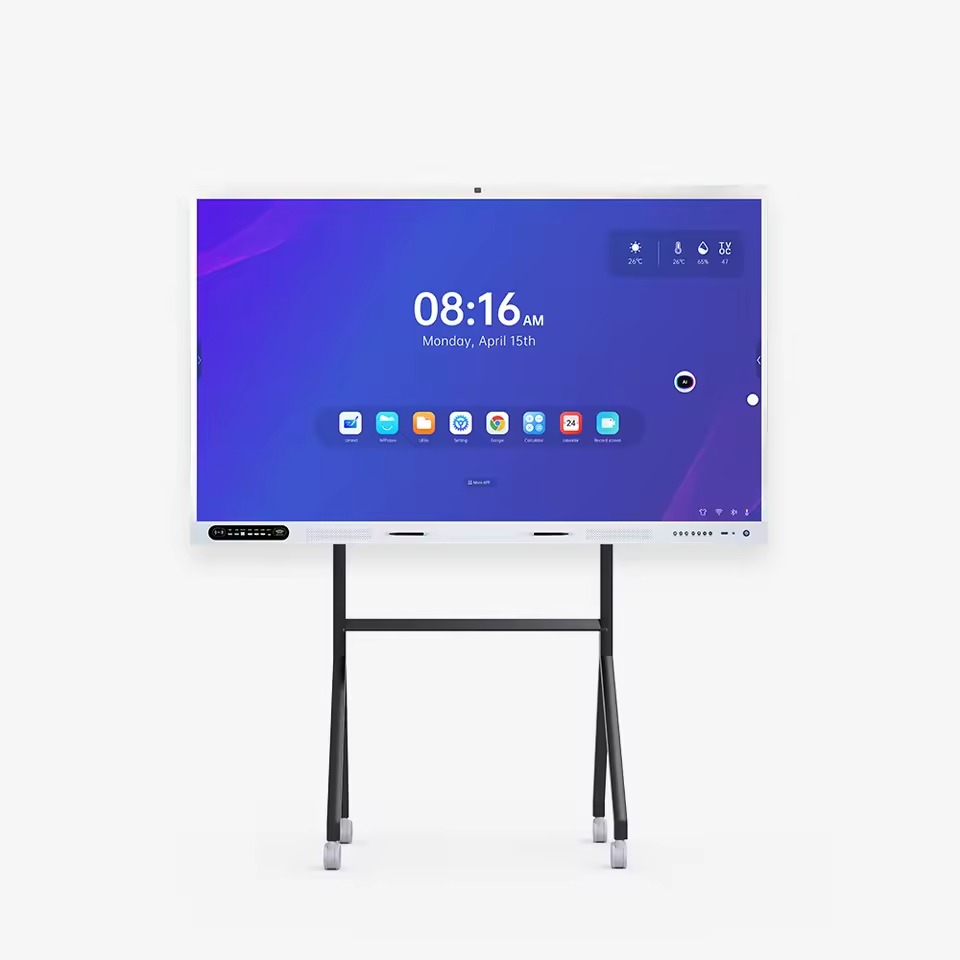
Hikvision 86-Inch 4K Interactive Display DS-D5C86RB/A (EDLA) – Supply and Installation in Kenya
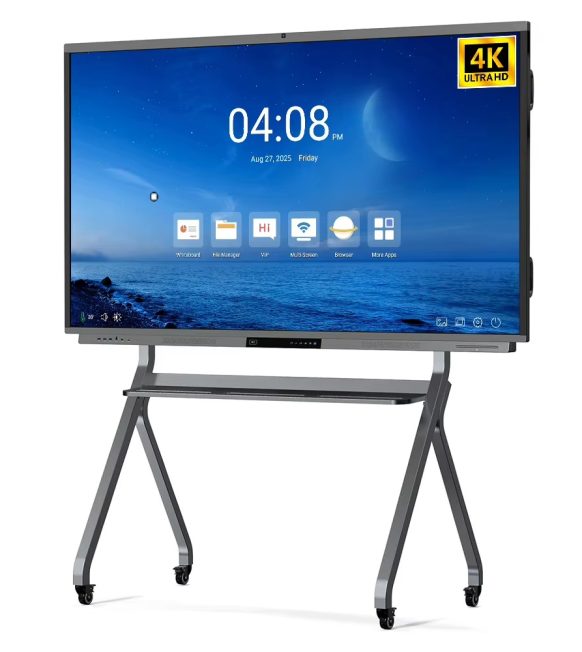
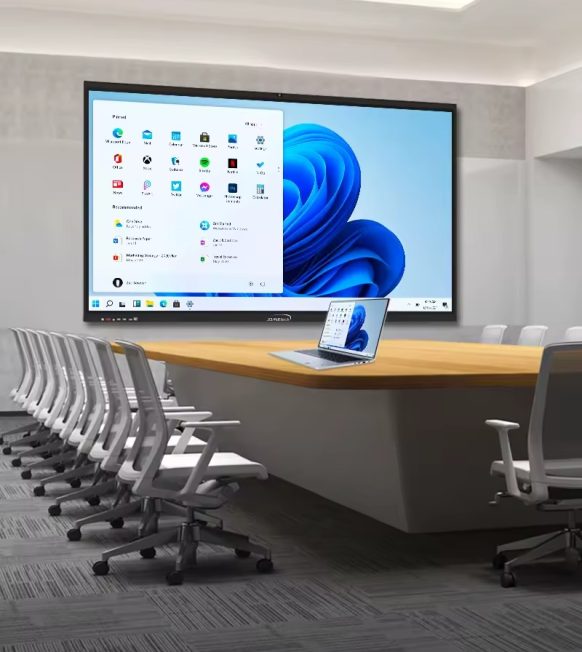
The Hikvision 86-inch 4K Interactive Display is a large-format interactive touchscreen designed for lecture halls, large classrooms, corporate boardrooms, conference rooms, training centres and collaborative workspaces. It combines a large 4K Ultra HD display with interactive writing, digital whiteboarding and presentation capabilities to help organisations improve communication, teaching and collaboration.
Boardtac Solutions supplies and installs Hikvision interactive displays in Kenya, helping schools, universities, businesses and institutions select suitable equipment, plan the installation, connect compatible devices and commission the system according to their requirements.
With its 86-inch screen, this interactive display is suitable for environments where a larger viewing area is necessary for presentations, detailed diagrams, spreadsheets, educational materials and collaborative discussions involving multiple participants.
What Is a Hikvision 86-Inch Interactive Display?
A Hikvision 86-inch interactive display is a large touchscreen panel that allows users to present digital content, write notes, draw diagrams and annotate documents directly on the screen.
Unlike a traditional projector, which projects content onto a separate surface, an interactive flat panel displays content directly on the screen. This can simplify room installations and help maintain clear presentations in rooms with ambient lighting.
Depending on the exact model and configuration, supported functions can include interactive writing, digital whiteboarding, wireless screen sharing, multimedia playback and integration with external computers.
The DS-D5C86RB/A and DS-D5C86RB/B are example model references to confirm when sourcing this display. Check the official datasheet for the precise features, operating system, connectivity and certification of the version being supplied.
Key Features of the Hikvision 86-Inch 4K Interactive Display
1. Large 86-Inch 4K Ultra HD Screen
The 86-inch display provides a generous viewing area for large classrooms, lecture rooms, corporate boardrooms and conference facilities.
With 4K Ultra HD resolution of 3840 × 2160 pixels, compatible presentations, documents, images, diagrams and videos can be displayed with fine detail.
The larger screen is especially useful when participants sit farther from the display or when presenters need to show detailed content to a large group.
2. Interactive Touchscreen Writing and Annotation
The interactive touchscreen allows teachers, trainers and presenters to write directly on the screen using supported touch input or compatible styluses.
Users can annotate presentations, highlight information, draw diagrams, explain technical concepts and make notes during discussions.
This reduces the need to switch between a separate whiteboard and a presentation screen, allowing users to interact with digital content in one place.
3. Digital Whiteboarding and Collaboration
The digital whiteboard function provides a shared workspace for lessons, meetings, workshops and brainstorming sessions.
Typical applications include:
- Explaining lessons and lecture topics.
- Drawing technical diagrams and illustrations.
- Annotating presentations and documents.
- Recording meeting notes.
- Developing project plans and workflows.
- Conducting collaborative brainstorming.
- Explaining business strategies and processes.
Saving, exporting and sharing notes depend on the supported applications and the exact display configuration.
4. Presentations for Large Groups
The 86-inch screen is suitable for environments where a standard desktop monitor or smaller interactive panel may be difficult for everyone to view comfortably.
Universities can use it to present lecture materials, while companies can display management reports, project plans, financial information and business presentations.
The actual viewing distance and room layout should still be assessed before selecting the display size.
5. Wireless Screen Sharing
Compatible Hikvision interactive displays offer screen-sharing options for presenting content from supported computers and mobile devices.
This can make it easier for lecturers to share lesson materials and for meeting participants to present information without repeatedly changing physical display connections.
Wireless sharing capabilities, compatible devices and network requirements should be confirmed for the selected model.
6. Connectivity for Computers and External Devices
The display can function as a central presentation screen for compatible laptops, computers and other supported equipment.
Depending on the exact model, interfaces may include HDMI, USB and network connections.
For organisations using specialised Windows applications, confirm whether an optional OPS computer is supported or whether an external PC is the better option.
7. Multimedia and Audio Support
The interactive panel can be used to display presentations, educational videos, images and other compatible multimedia content.
For a large lecture hall or boardroom, built-in speakers may not provide sufficient sound coverage. Additional speakers, microphones or a dedicated audio system may be required depending on the room size and intended use.
The display can also form part of a video conferencing solution when paired with compatible cameras, microphones, speakers and conferencing software.
Where Can You Use a Hikvision 86-Inch Interactive Display?
Universities and Lecture Halls
Universities, colleges and training institutions can use the display for lectures, digital teaching, diagrams, demonstrations and collaborative learning.
Lecturers can annotate presentation slides, explain complex concepts visually and interact with digital teaching materials during lessons.
Large Classrooms and Training Centres
The 86-inch display can support group instruction, staff training, workshops and demonstrations where a larger viewing surface is beneficial.
It can be used to present training materials, display videos and explain processes through live annotation and digital whiteboarding.
Corporate Boardrooms
Businesses can use the display for executive presentations, strategy meetings, financial reviews, project discussions and collaborative planning.
The large screen provides a shared visual workspace for presenting information and discussing documents with colleagues.
Conference Rooms and Collaborative Spaces
Conference facilities and collaborative workspaces can use the display for presentations, workshops, brainstorming and team planning.
When integrated with compatible video conferencing equipment, the panel can provide a large shared display for local and remote participants.
Government Offices, NGOs and Institutions
Government departments, hospitals, NGOs and other organisations can use interactive displays for presentations, internal training, planning and professional development.
Where specialised applications or existing IT infrastructure must be integrated, compatibility should be assessed before installation.
Hikvision 86-Inch Interactive Display Supply and Installation by Boardtac Solutions
Boardtac Solutions provides interactive display supply and installation services for organisations seeking a complete and properly configured presentation solution.
Our approach considers the room layout, intended application, mounting requirements, power supply, network connectivity and supporting equipment needed for the installation.
Depending on the agreed project scope, our services can include:
- Assessment of the installation location.
- Confirmation of the required Hikvision model.
- Supply of the interactive display and specified accessories.
- Wall mounting or installation on a compatible mobile stand.
- Planning of power and connectivity.
- Connection of compatible computers and peripherals.
- Configuration of supported network and screen-sharing functions.
- Integration with compatible video conferencing equipment where required.
- Testing of the display, touchscreen, audio and connected devices.
- Basic user orientation and system handover.
Because an 86-inch display is large and heavy, the mounting structure, wall condition, installation height and access to the installation area should be assessed before work begins.
Mounting brackets, mobile stands, external computers, additional cabling, audio equipment and conferencing peripherals should be itemised in the quotation unless expressly included in the package.
Wall Mounting or Mobile Stand Installation?
A wall-mounted installation is suitable for permanent installations in lecture rooms, boardrooms and training facilities. The wall and mounting hardware must be rated for the display’s weight and dimensions.
A compatible heavy-duty mobile floor stand may be suitable where the display needs to be moved between rooms. The stand must be designed to support the specific screen size and weight safely.
Boardtac Solutions can assess the installation environment and recommend an appropriate mounting arrangement based on the customer’s requirements.
What Should You Consider Before Buying an 86-Inch Interactive Display?
Room dimensions and viewing distance: An 86-inch panel is designed for larger spaces. Confirm that the room has sufficient viewing distance and suitable seating arrangements.
Exact model number: Verify whether the supplied product is DS-D5C86RB/A, DS-D5C86RB/B or another hardware revision. Do not assume that similar model numbers have identical specifications.
Installation structure: Confirm that the wall, bracket or floor stand can safely support the display’s weight and dimensions.
Power and connectivity: Plan electrical outlets, network connections, cable routes and external device connections before installation.
Touchscreen requirements: Check the supported touch functionality, stylus requirements and any included accessories.
Computer and software requirements: Determine whether the built-in operating system meets your needs or whether an external PC or optional OPS computer is required.
Audio and video conferencing: Large rooms may require additional speakers, microphones and a compatible conferencing camera.
Warranty and support: Confirm the manufacturer’s warranty and the agreed installation and after-sales support arrangements.
Why Choose Boardtac Solutions?
Boardtac Solutions provides technology solutions based on the customer’s actual requirements, taking into account the equipment, installation environment and supporting infrastructure needed for a functional system.
For interactive classroom and boardroom projects, we can assist with equipment selection, supply, mounting, configuration, testing and handover. Where required, the project can also include network connectivity, video conferencing equipment and related IT infrastructure.
Our wider services include structured network cabling, CCTV and security systems, access control, video intercoms, IP telephony and IT infrastructure. This helps us consider the connectivity and integration requirements when an interactive display is part of a larger technology project.
Hikvision 86-Inch Interactive Display Price in Kenya
The price of a Hikvision 86-inch interactive display with installation in Kenya depends on the exact model, current availability, mounting arrangement, accessories, cabling and configuration requirements.
A complete quotation should identify the display model and clarify whether installation, mounting hardware, a mobile stand, an OPS computer, audio equipment and other peripherals are included.
Contact Boardtac Solutions to confirm the available model and request a quotation for your lecture hall, large classroom, corporate boardroom or conference facility.
Frequently Asked Questions
What is the Hikvision 86-inch interactive display used for?
It is used for interactive teaching, lectures, presentations, digital whiteboarding, training sessions, document annotation and collaborative meetings in large rooms.
Does the Hikvision 86-inch interactive display support 4K?
The product is described as a 4K interactive display. The standard 4K UHD resolution is 3840 × 2160 pixels. Confirm the official datasheet for the exact model being supplied.
Is an 86-inch interactive display suitable for a boardroom?
Yes. It can be suitable for larger boardrooms where participants need a large shared screen for presentations, planning and collaborative discussions.
Can the display replace a projector?
It can replace a projector in many classrooms, boardrooms and meeting rooms. The choice depends on the room layout, viewing distance, number of participants, screen requirements and budget.
Can I connect a laptop to the display?
Compatible laptops can connect through supported video interfaces, such as HDMI. Wireless screen sharing may also be available depending on the model and configuration.
Does the display include a Windows computer?
Do not assume that it does. Confirm the included operating system and whether an OPS computer or external PC is required for the applications your organisation uses.
Does Boardtac Solutions provide supply and installation in Kenya?
Yes. Boardtac Solutions provides interactive display supply and installation services in Kenya, with the scope determined by the customer’s requirements and the agreed quotation.
Request a Quotation from Boardtac Solutions
Planning a large digital classroom, university lecture room, corporate boardroom or collaborative workspace? Contact Boardtac Solutions to discuss your requirements for a Hikvision 86-inch 4K Interactive Display.
We can help you confirm the available model, assess the installation location, identify the required accessories and plan the supply and installation according to your intended application.
Boardtac Solutions – Hikvision Interactive Display Supply, Installation and Configuration in Kenya.