Common Video Conferencing Problems in Kenya and How to Fix Them.
A video conferencing system can look simple when everything is working. You walk into a meeting room, switch on the display, open Microsoft Teams or Zoom, and start the meeting.
The reality is often very different.
At Boardtac Solutions, we have encountered businesses in Nairobi and other parts of Kenya where the conference camera is not detected, the picture keeps freezing, people at the far end of the table cannot be heard, the wrong camera comes on during a meeting, the room has echo, or an expensive camera produces an image that looks worse than expected.
In some cases, the camera itself is perfectly fine.
The problem is somewhere else in the system.
A professional video conferencing room is made up of several connected parts. There is the camera, USB or network connection, computer or room appliance, conferencing software, display, microphones, speakers, network, power, room acoustics and lighting. If one part is incorrectly installed or configured, the entire meeting experience can suffer.
This is why troubleshooting a conference room should not start with replacing the camera.
It should start with finding the actual cause.
What are the most common video conferencing problems?
The most common problems we encounter include conference cameras not being detected, cameras disconnecting during meetings, poor or blurry video, frozen video, video delays, incorrect camera selection, poor lighting, incorrect framing, PTZ tracking problems, microphone and speaker issues, echo, USB connection problems, firmware issues, compatibility problems and unreliable integration with Teams, Zoom or other meeting platforms.
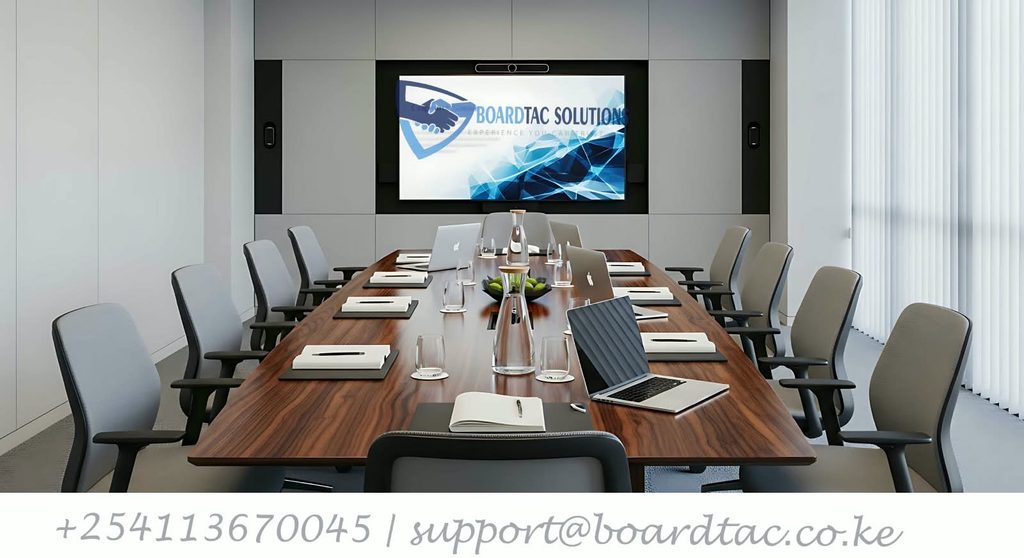
Some of these problems are caused by the camera. Many are not.
Understanding the difference can save a business from spending money replacing equipment that was never faulty in the first place.
1. The conference camera is not detected
One of the most frustrating situations is opening a meeting and finding that the computer or conferencing application cannot see the camera.
The screen may display a message saying that no camera was found. The camera may also appear to be powered on while Microsoft Teams, Zoom or another application cannot access it.
We have seen this type of problem caused by simple connection issues, incorrect device selection, permissions, drivers, USB problems and configuration errors.
Before replacing a camera, the connection between the camera and the conferencing computer should be checked.
The camera should also be checked in the operating system and then inside the conferencing application. If the computer sees the camera but Teams or Zoom does not, the problem may be software or permissions rather than hardware.
This distinction is important.
2. The camera works sometimes and then disappears
Intermittent camera problems can be even more difficult to diagnose.
A camera may work perfectly during one meeting and then suddenly disappear during the next meeting. Restarting the computer may temporarily solve the problem, only for the issue to return later.
This can happen when several applications are trying to access the same camera. It can also be related to USB connections, drivers, firmware, power management or other device conflicts.
For a business that uses the boardroom every day, an intermittent problem is not a minor inconvenience. It can interrupt meetings with customers, suppliers, management teams and remote staff.
The solution is to identify why the connection is being lost rather than repeatedly restarting the system.
3. The conference camera is producing a blurry image
A business may purchase a high-resolution camera expecting crystal-clear video, only to discover that the picture still looks soft or pixelated.
The first reaction is often to blame the camera.
However, image quality can be affected by network conditions, computer performance, conferencing software settings, lighting, camera configuration and available bandwidth.
A high-resolution camera does not automatically guarantee high-resolution video at the other end of a meeting.
If the network is struggling, conferencing platforms may adapt video quality to keep the meeting running. The result can be reduced resolution or frame rate.
This is why Boardtac looks beyond the camera when troubleshooting poor conference video.
4. The video keeps freezing while the audio continues
This is one of the clearest signs that the network should be investigated.
Participants may continue hearing each other while the video freezes for several seconds. The picture may eventually return, only to freeze again.
Businesses sometimes assume that the conference camera is faulty.
It may not be.
Network congestion, packet loss, latency, inadequate connectivity and other network problems can affect video conferencing. Other users sharing the same connection can also compete for available network resources.
This becomes particularly important in offices where video conferencing is running alongside cloud applications, file transfers, IP phones, CCTV systems, Wi-Fi users and other business services.
A good conference room therefore needs a network that can support the meeting reliably.
5. The video or audio is delayed
A noticeable delay between someone speaking and their video appearing on the other side can make a meeting uncomfortable.
People start speaking over each other because they cannot immediately tell when another participant has finished speaking.
Network latency and congestion can contribute to this problem.
The correct approach is to check the entire connection rather than simply changing the camera.
Boardtac can assess the network, equipment and room configuration to identify where the delay is being introduced.
6. Teams or Zoom selects the wrong camera
Many offices have more than one camera.
A laptop may have its built-in webcam. A conference room may have a USB camera, PTZ camera or another professional camera connected to the system.
During a meeting, Teams or Zoom may select the wrong device.
Instead of using the main conference-room camera, the meeting may start with the laptop webcam.
This is a simple problem, but it becomes embarrassing when a meeting has already started and participants are trying to troubleshoot equipment in front of everyone.
Proper configuration and testing should ensure that the intended camera, microphone and speaker are selected before the room is handed over for use.
7. The conference camera keeps disconnecting
A camera that repeatedly disconnects can make an otherwise good meeting room unreliable.
USB cables, hubs, connectors and power can all contribute to connection problems.
Long USB runs can also introduce practical installation challenges if the equipment has not been designed and installed correctly.
A conference room should therefore not simply have cables hidden behind a display and furniture.
The connection method, cable lengths, USB equipment, power requirements and equipment placement should all be considered during installation.
8. People at the far end of the table cannot be heard properly
This is a common boardroom problem.
The people sitting close to the microphone sound clear, while those at the far end of the table sound distant or difficult to understand.
Increasing the speaker volume does not necessarily solve the problem.
The issue may be microphone placement, microphone coverage, room size, the type of conferencing microphone being used, furniture arrangement or room acoustics.
A conference room should be designed around how people actually sit and speak during meetings.
For larger boardrooms, multiple microphones or a suitable conference audio system may be required instead of relying on a single microphone placed at one end of the table.
9. The meeting room has echo
Echo can make even an expensive conference system sound unprofessional.
Participants may hear their own voices coming back through the speakers. Audio may also sound hollow or distorted.
Echo can be caused by microphone and speaker placement, multiple active audio devices, room acoustics or incorrect audio configuration.
For example, a laptop microphone and a dedicated conference microphone may both be active at the same time. The laptop speakers may also be active while the room’s dedicated speakers are playing the same call.
The result can be an unpleasant meeting experience.
The correct solution is to configure the room as one integrated audio system and ensure that the correct microphone and speaker devices are being used.
10. The conference room picture is too dark
A camera can be working perfectly and still produce poor-looking video.
One of the biggest causes is lighting.
We have encountered meeting rooms with large windows directly behind participants. From inside the room, the lighting may look adequate, but the camera sees a bright background and faces that are too dark.
Other rooms have uneven lighting, glare from displays or insufficient illumination.
Camera placement and room lighting should therefore be considered together.
A good conference camera needs a suitable environment in which to operate.
11. The camera is pointing at the wrong area
A conference camera should show the people who are actually participating in the meeting.
If the camera is positioned too close, participants may appear cramped in the frame. If it is too far away, faces may become difficult to see.
Poor positioning can also leave part of the table outside the camera’s useful field of view.
This is one reason we do not recommend choosing the number or type of cameras based only on room size.
The layout of the table, seating positions, display location, windows, doors and expected participants all matter.
Camera positioning is part of system design.
12. The PTZ camera is not tracking speakers correctly
PTZ cameras can provide useful functionality in larger meeting rooms, but simply installing a PTZ camera does not guarantee good automatic tracking.
A camera may fail to follow the intended speaker or may move to the wrong position.
Presets, tracking configuration, camera positioning, control settings and room conditions can all affect performance.
The camera should be configured according to the actual meeting room rather than being installed and left with factory settings.
Where automatic tracking is required, the room should be tested with people sitting in their normal meeting positions.
13. The camera works on one computer but not another
Compatibility problems can be confusing.
A camera may work perfectly on one laptop but fail to appear on another.
This does not necessarily mean that the camera is faulty.
Operating-system permissions, drivers, USB compatibility, conferencing software versions and firmware can all affect whether a camera works correctly.
This is particularly important when a business wants several people to use the same conference room with their own laptops.
A room designed for Bring Your Own Device meetings should be tested with the expected connection method before deployment.
14. Camera permissions are blocking the meeting
Sometimes the hardware is working but the operating system or browser is preventing the application from accessing the camera.
The camera may be visible to the computer but unavailable inside the meeting application.
Privacy and camera permissions should therefore be checked when troubleshooting.
This is especially relevant after operating-system updates, software changes or when a new computer is introduced into an existing meeting room.
15. Firmware and software updates create new problems
Updates are important, but they can also change how equipment behaves.
A conference camera, room computer, display or other conferencing device may become unstable when firmware, drivers or conferencing software are outdated or incompatible.
This is why maintenance should include more than checking whether equipment powers on.
Firmware and software versions should be reviewed when diagnosing recurring problems.
A reliable conference room is maintained, not simply installed once and forgotten.
16. The display works, but the whole meeting room does not
Another problem we encounter is a room where individual devices appear to work but the complete system does not.
The display may show an image.
The camera may power on.
The microphone may work.
The speakers may produce sound.
Yet the meeting itself is still difficult to run.
This happens because a professional conference room is an integrated system.
The camera must communicate with the conferencing platform. The microphones must provide suitable audio coverage. The speakers must reproduce the remote participants clearly. The display must show the meeting properly. The network must carry the traffic reliably.
Every part has to work together.
17. Poor cabling creates unnecessary problems
A conference room can have good equipment and still suffer because of poor installation.
Loose connections, badly routed cables, excessive cable lengths and unsuitable adapters can create intermittent faults that are difficult to trace.
We believe conference-room cabling should be planned as part of the installation rather than treated as an afterthought.
Cables should be properly routed, secured and labelled where appropriate.
The objective is not only to make the room look neat.
Good installation also makes future troubleshooting and maintenance much easier.
18. The business bought equipment before designing the room
This is one of the most expensive mistakes.
A company may purchase a camera because it has a high megapixel or resolution specification, then discover that it does not provide the coverage required for the room.
Another business may buy a conference microphone without considering the distance between participants.
Someone else may purchase a display without considering where the camera needs to be mounted.
The result is equipment that technically works but does not provide the expected meeting experience.
The better approach is to assess the room first.
At Boardtac Solutions, we look at the room layout, seating arrangement, display position, camera field of view, microphone coverage, network connectivity, lighting and how the room will actually be used before recommending a solution.
Why buying an expensive conference camera does not automatically solve the problem
One of the biggest lessons from troubleshooting conference rooms is that the camera is only one part of the system.
Think of the meeting as a chain.
Camera → connection → computer or room system → conferencing software → network → display → microphones → speakers → room environment.
A problem anywhere along this chain can affect the meeting.
An excellent camera with a poor network can produce poor video.
An excellent camera with the wrong USB configuration can become unavailable.
An excellent camera in a poorly lit room can produce disappointing images.
An excellent camera with badly positioned microphones can still produce a poor meeting.
An excellent camera with incorrect Teams or Zoom configuration can make the room unreliable.
This is why professional video conferencing installation is different from simply supplying a camera.
How Boardtac Solutions approaches video conferencing problems
When a customer contacts us about a conference-room problem, the first step should be diagnosis.
We look at the complete system rather than immediately recommending replacement equipment.
Depending on the problem, this can include checking the camera connection, computer configuration, conferencing software, USB connections, firmware, network performance, microphone coverage, speaker placement, room acoustics, lighting and camera positioning.
The objective is simple.
Find the actual problem before spending money on the wrong solution.
Where new equipment is required, the recommendation should be based on the room and the customer’s requirements.
A small meeting room does not necessarily need the same equipment as a large boardroom.
A room used mainly for laptop-based meetings may require a different approach from a dedicated Microsoft Teams Rooms environment.
A large boardroom may require multiple microphones, professional speakers, PTZ cameras, displays and control equipment.
The solution should fit the room.
Professional video conferencing installation in Nairobi and Kenya
Boardtac Solutions provides video conferencing and meeting-room technology solutions for businesses, organisations and institutions in Nairobi and across Kenya.
Our work can include conference cameras, PTZ cameras, microphones, speakers, displays, meeting-room connectivity, networking and complete audiovisual integration.
We also help businesses troubleshoot existing conference rooms where equipment has already been installed but is not performing as expected.
This can be particularly useful for organisations that have inherited an existing meeting-room system and are experiencing recurring problems.
Instead of replacing everything, the system can first be assessed to determine what is working, what is not working and what actually needs to be changed.
When should you call a professional?
You should consider professional assistance when:
- The camera is repeatedly disappearing from Teams or Zoom.
- The camera works intermittently.
- Video keeps freezing during meetings.
- The picture is consistently poor despite having a good camera.
- People at one end of the table cannot be heard.
- The room has persistent echo.
- The wrong camera or microphone keeps being selected.
- A PTZ camera is not tracking correctly.
- The conference system works on one computer but not another.
- Several devices need to work together in the same meeting room.
- The business is planning a new boardroom or conference room.
- Existing equipment needs to be integrated with a new display, computer or conferencing platform.
- The organisation wants a more reliable and professional meeting experience.
The right conference-room solution starts with the room
There is no single conference camera that is perfect for every meeting room.
The right solution depends on the number of participants, room dimensions, seating arrangement, distance from the camera, lighting, acoustic conditions, network infrastructure, conferencing platform and how the room is expected to operate.
That is why a site survey and proper system design can be more valuable than simply comparing camera specifications.
The goal is not to install the most expensive equipment.
The goal is to create a meeting room that works reliably when people need it.
Boardtac Solutions can help
If your conference camera is not working properly, your boardroom has poor audio, video keeps freezing, participants cannot hear people at the far end of the table, or your existing video conferencing equipment is difficult to use, the problem may not require a complete system replacement.
Boardtac Solutions can assess the existing setup, identify the cause of the problem and recommend a practical solution based on the room and how your organisation uses it.
We provide video conferencing, boardroom audiovisual systems, meeting-room technology, networking and IT solutions in Nairobi and for organisations across Kenya.
Before replacing your conference equipment, find out what is actually causing the problem.
Boardtac Solutions. IT & Security Systems.