Neat Bar and Neat Pad Installation in Kenya: Professional Meeting Room Installation and Integration With an Existing Logitech System
Modern corporate meeting rooms require more than a camera connected to a display. Organizations need reliable video conferencing, clear audio, professional room control, screen sharing, network connectivity, and equipment that can integrate into an existing IT environment.
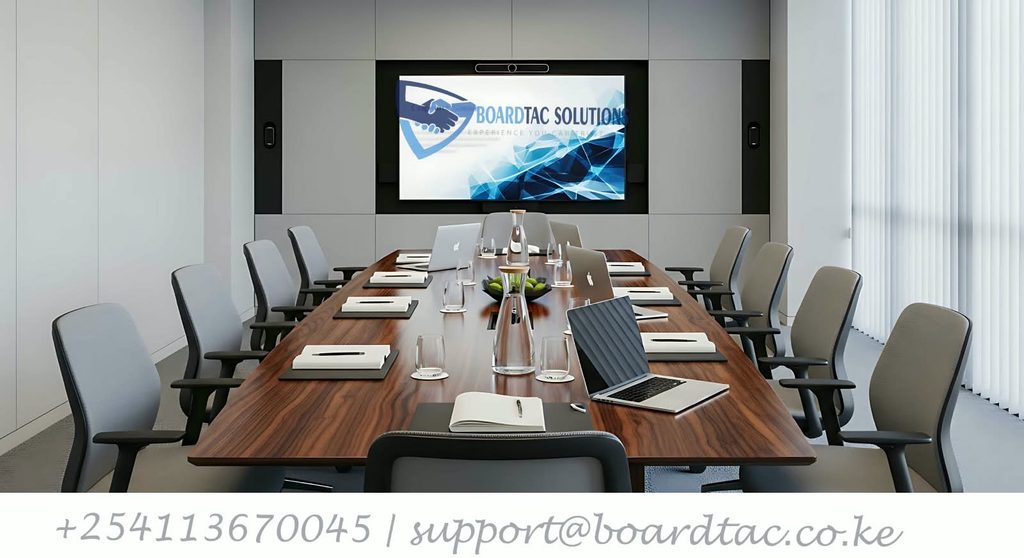
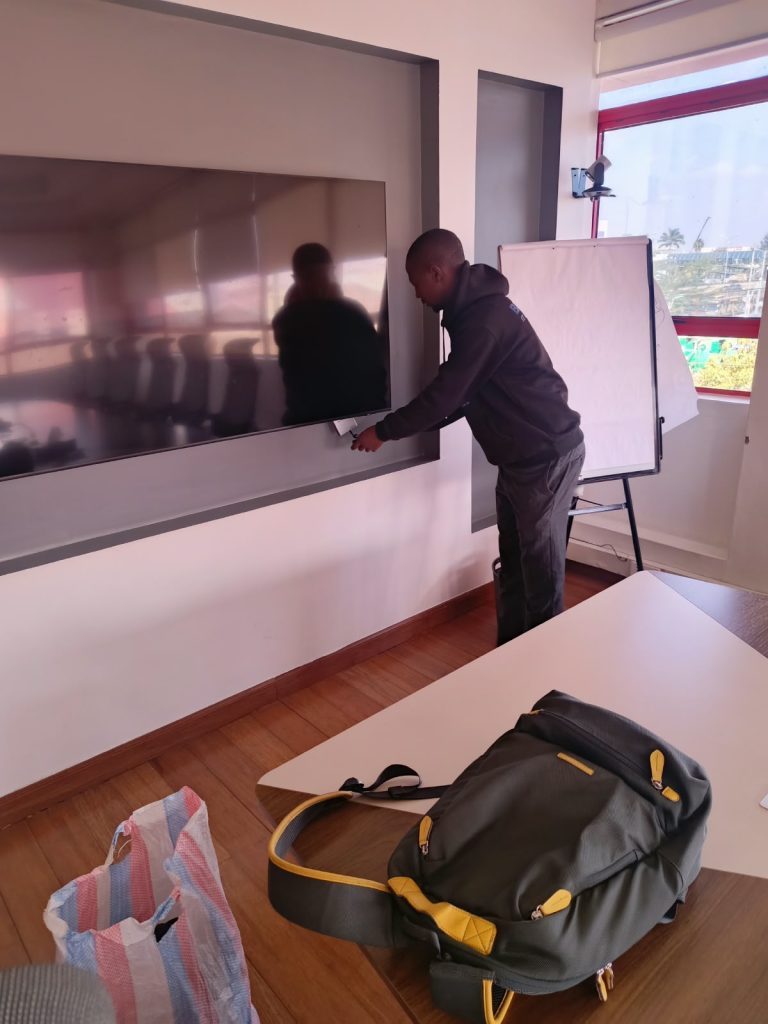
Recently, Boardtac Solutions worked with the IT team of an international company operating in Kenya after the organisation purchased a Neat Bar and Neat Pad for its boardroom. The client wanted professional assistance in reviewing the equipment and carrying out the installation while taking into consideration the boardroom’s existing Logitech GROUP video conferencing camera system.
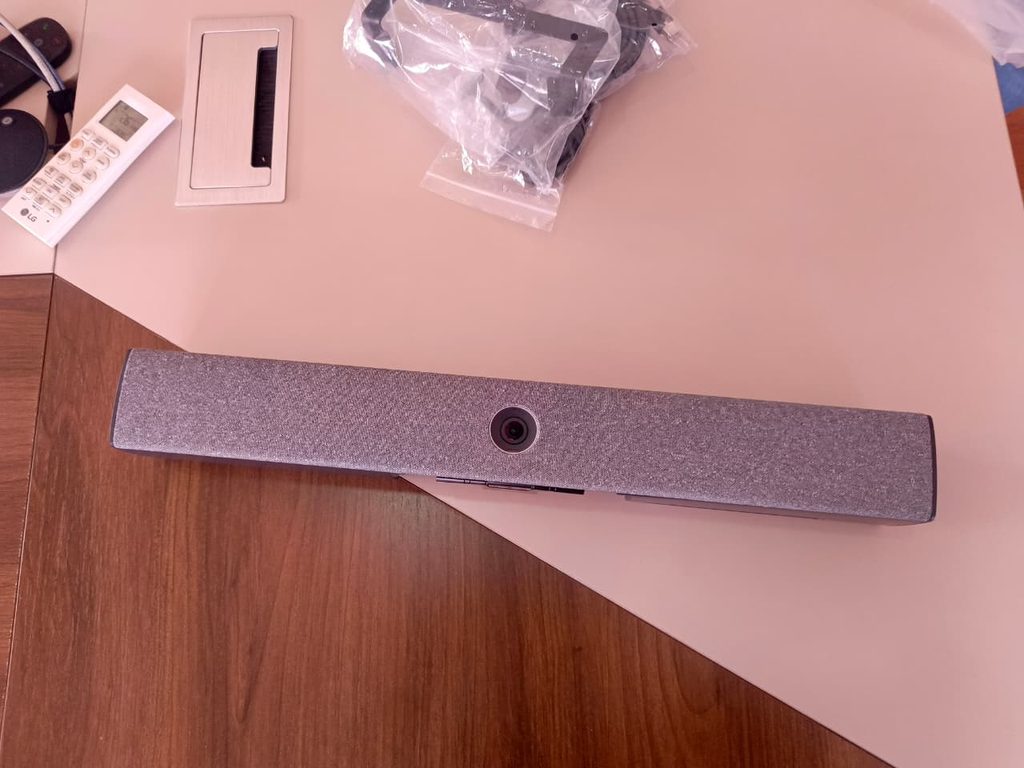
The project provided a practical example of an increasingly common requirement in corporate offices in Kenya: integrating newly purchased meeting-room technology into an existing audiovisual and IT infrastructure instead of completely replacing everything already installed.
The supplied Neat Bar and Neat Pad user manual describes the Neat Bar as an all-in-one meeting and collaboration device incorporating a camera, speakers, microphones, and environmental sensors.
For organisations researching the product, the manufacturer’s official Neat Bar product information provides additional information about the product and its meeting-room applications.
What Is the Neat Bar?
The Neat Bar is a compact all-in-one meeting-room device designed to combine several functions into one unit. Instead of installing a separate camera, speakers, and microphones around the display, the Neat Bar incorporates these functions into a single device.
According to the supplied Neat documentation, the Neat Bar includes a camera, speakers, microphones, and environmental sensors and is intended for huddle, focus, and meeting spaces.
This type of design can be particularly useful in corporate boardrooms where organisations want a clean installation with fewer visible devices.
The Neat Bar can be mounted above or below one or two screens. The supplied installation package includes a wall mount, screen mount, table stand, mounting adapter, HDMI cable, Ethernet cable, power cord, and mounting hardware.
What Is the Neat Pad?
The Neat Pad is an 8-inch touchscreen controller designed to work with the Neat Bar. It can also be configured as a scheduling display for a meeting room.
The Neat Pad supports Ethernet and Power over Ethernet, and the supplied package includes Ethernet cables, a PoE power adapter, mounting hardware, and mounting options.
For additional information, IT teams can refer to Neat’s official Neat Pad support documentation, which contains information about configuration, controllers, scheduling, and supported meeting-room deployments.
Why the Client Asked Boardtac to Review the Equipment
The client had already purchased the Neat Bar and Neat Pad. The requirement was therefore not simply to supply another video conferencing system.
The IT team wanted Boardtac to review the equipment, understand how it was intended to operate, assess the existing boardroom environment, and assist with the installation.
The boardroom already had a Logitech GROUP conference camera system, which meant the project needed to be approached as an integration exercise.
When new meeting-room equipment is introduced into an existing boardroom, it is important to establish which devices will remain in use, which devices will become the primary conferencing equipment, how the displays will be connected, how audio and video will be handled, and how the network infrastructure will support the new equipment.
This is why a professional assessment is valuable before simply connecting equipment and assuming that all conferencing devices will work together automatically.
Reviewing Existing Logitech Equipment Before Adding New Video Conferencing Equipment
A boardroom may contain several generations of technology.
An organisation may have an existing Logitech conference camera, microphones, speakers, displays, presentation equipment, network infrastructure, HDMI cabling, USB connections, and a dedicated conferencing computer or appliance.
When a Neat Bar is introduced, the installer must understand the purpose of each existing component.
The objective is not necessarily to remove everything that was previously installed. Depending on the client’s requirements, some equipment may remain, some may be replaced, and some may serve a different function.
This was particularly relevant to the Boardtac project because the organisation wanted assistance integrating a newly purchased Neat system into a boardroom where Logitech conferencing equipment was already present.
The final integration method should therefore be determined from the actual equipment, software environment, conferencing platform, and intended meeting-room workflow rather than assuming that every combination of equipment is directly interchangeable.
Neat Bar Connectivity
The supplied Neat manual identifies AC power, Ethernet, USB-C, HDMI-out for an external screen, HDMI-in for 1080p screen sharing, and a factory reset button among the Neat Bar’s connections.
This makes cable planning an important part of a professional installation.
The installer needs to consider where the Neat Bar will be positioned, where the display is located, how Ethernet will reach the device, how power will be supplied, and how HDMI and other connections will be routed.
A well-designed installation should not only work electrically and technically. It should also provide a clean and maintainable boardroom environment.
For detailed installation instructions, Neat provides an official Neat Bar setup guide, covering the initial setup process and platform selection.
Neat Bar Mounting Options
The Neat Bar supports wall mounting, screen mounting, and table placement.
The supplied manual states that screws for wall mounting are not included and that wall mounting should be carried out by qualified personnel using suitable mounting equipment capable of safely supporting the product.
For a corporate boardroom, the most suitable mounting method depends on the room layout, screen position, wall construction, cable routes, and the existing equipment.
The manufacturer’s Neat Bar installation documentation is useful when checking the correct setup procedure before physical installation.
Neat Pad Network and PoE Installation
The Neat Pad provides Ethernet connectivity and Power over Ethernet, as well as an AC power adapter.
For a permanent corporate installation, network planning is therefore an important consideration.
The supplied manual specifically states that the 5-metre Ethernet cable provided with the Neat Pad is not intended for in-wall installation. It states that in-wall cable routing should be performed by qualified personnel using appropriate equipment.
Where permanent cabling is required, the installation should therefore use an appropriate structured-cabling method rather than simply placing the supplied equipment cable inside a wall.
Neat Bar and Neat Pad Pairing
One of the important technical considerations when installing a Neat Bar and Neat Pad is device pairing.
Neat’s support documentation explains that Neat Bar and Neat Pad devices require pairing and that Neat-level pairing relies on mDNS, or multicast DNS. Neat also explains that the devices normally need to be on the same subnet for successful discovery and pairing.
This is particularly relevant in corporate environments where the IT department may use VLANs, network segmentation, managed switches, firewall policies, or other network controls.
A device can have an Ethernet connection and still fail to discover its associated controller if the required network communication is not available.
This is why meeting-room installation can require cooperation between the audiovisual installer and the client’s IT/network team.
IT teams can refer to Neat’s official pairing troubleshooting documentation when investigating Bar and Pad discovery or pairing problems.
Microsoft Teams and Neat Bar
Where the organisation uses Microsoft Teams Rooms, additional configuration is required after the initial Neat-level pairing.
Neat’s documentation explains that the Neat Bar and Neat Pad must first be successfully paired at the Neat level before the devices are paired at the Microsoft Teams level.
The Neat Microsoft Teams pairing guide provides detailed instructions for signing in and pairing the devices with Microsoft Teams.
This is useful information for corporate IT administrators because the physical installation and the Microsoft Teams configuration are separate stages of the deployment.
The IT team may need to provide the appropriate Teams account, licensing, network access, and device registration information.
Zoom Rooms and Neat Bar
The Neat Bar and Neat Pad can also be deployed in a Zoom Rooms environment.
Neat explains that there are different pairing stages for the Neat devices and Zoom software. Its documentation also describes the communication required between the Neat Bar and Neat Pad when operating as a Zoom Room.
For organisations using Zoom Rooms, Neat provides an official Zoom sign-in and pairing guide.
This documentation can be particularly useful for an IT administrator preparing the Zoom Room account before the physical installation is commissioned.
Integrating a Neat Bar With an Existing Logitech Conference Camera
One of the most important aspects of this Boardtac project was the presence of the existing Logitech GROUP system.
It is important to distinguish between physical connectivity and system integration.
Connecting two conference devices to the same display does not automatically mean that they will operate together as one conferencing system.
The installer needs to understand which device is expected to provide the camera, microphone, speakers, conferencing application, and room control.
The appropriate solution depends on the exact Logitech equipment, Neat model, conferencing platform, available USB and HDMI connections, and the client’s intended meeting-room workflow.
For this reason, Boardtac reviewed the existing environment before proceeding with the installation rather than assuming that the Neat Bar could simply be connected to the Logitech system.
Why a Professional Site Assessment Is Important
A site assessment can identify issues before installation work begins.
For a corporate boardroom, Boardtac typically considers the location of displays, existing conferencing equipment, network points, power outlets, mounting surfaces, cable routes, structured cabling, HDMI requirements, and the intended conferencing platform.
This is particularly important where the client has already purchased the equipment.
A professional assessment can help determine whether the equipment is suitable for the intended room, what additional infrastructure may be required, how the equipment should be mounted, and how the final system should be tested.
Cable Management for Corporate Boardrooms
Cable management is an important part of professional meeting-room installation.
A boardroom may contain HDMI cables, network cables, power cables, USB connections, display connections, camera connections, and other equipment interconnections.
Poor cable management can make a professional meeting room look unfinished and can make future maintenance more difficult.
Boardtac considers cable routing and equipment positioning as part of the installation rather than treating them as an afterthought.
The Neat manual’s warning regarding the supplied 5-metre Neat Pad Ethernet cable is a good example of why installers should distinguish between equipment-supplied cables and permanent building cabling.
Testing the Meeting Room After Installation
A meeting-room installation should be tested as a complete system.
Boardtac recommends checking the display output, network connection, camera operation, microphone operation, speaker output, controller operation, screen sharing, conferencing application, and the interaction between new and existing equipment.
Where the room contains existing Logitech equipment or other third-party systems, testing should also confirm that the final configuration behaves according to the client’s intended workflow.
The objective is to hand over a functional meeting room rather than simply a collection of equipment that powers on.
Neat Bar and Neat Pad for Businesses in Kenya
The Neat Bar and Neat Pad can be relevant to organisations in Kenya looking to modernise corporate meeting rooms while maintaining a clean and professional installation.
The Neat Bar combines camera, speakers, microphones, and environmental sensors, while the Neat Pad provides an 8-inch touchscreen controller and can also be used as a meeting-room scheduling display.
However, the correct installation approach depends on the actual room, network, conferencing platform, display arrangement, and existing equipment.
Organisations should therefore avoid selecting or installing meeting-room equipment based only on a product specification sheet.
Boardtac Solutions for Video Conferencing and Meeting Rooms in Kenya
Boardtac Solutions provides professional IT, networking, video conferencing, structured cabling, equipment installation, system integration, and technical support services for businesses and organisations in Kenya.
Our meeting-room projects can involve equipment assessment, site surveys, mounting, structured cabling, network connectivity, display installation, HDMI connectivity, video conferencing equipment, configuration, system testing, and integration with existing IT infrastructure.
The Neat Bar and Neat Pad project with the international organisation in Kenya is an example of how Boardtac works with corporate IT teams to assess newly purchased technology and help integrate it into an existing boardroom environment.
If your organisation has purchased a Neat Bar, Neat Pad, Logitech conference system, Microsoft Teams Rooms equipment, Zoom Rooms equipment, or other meeting-room technology, Boardtac can assist with professional installation, network connectivity, configuration, integration, testing, and technical support in Kenya.
Frequently Asked Questions About Neat Bar and Neat Pad Installation
What is a Neat Bar?
The Neat Bar is an all-in-one meeting and collaboration device incorporating a camera, speakers, microphones, and environmental sensors.
What is a Neat Pad?
The Neat Pad is an 8-inch touchscreen controller for the Neat Bar and can also be configured as a meeting-room scheduling display.
Can the Neat Bar be mounted on a display?
Yes. The supplied documentation identifies a screen mount, wall mount, and table stand as mounting options.
Does the Neat Bar have HDMI?
Yes. The manual identifies HDMI-out for an external screen and HDMI-in for 1080p screen sharing.
Does the Neat Pad support PoE?
Yes. The Neat Pad includes Ethernet and Power over Ethernet connectivity.
Can a Neat Bar be installed in a boardroom that already has Logitech equipment?
It can be considered as part of an existing boardroom upgrade, but the correct integration method depends on the specific Logitech equipment, Neat model, conferencing platform, and intended room configuration. Existing equipment should be assessed before installation.
Does the Neat Bar require a Neat Pad?
For the original Neat Bar configuration covered by the manufacturer’s documentation, the Neat Bar is paired with a Neat Pad. Neat’s current support documentation states that Neat Bar requires a Neat Pad for its dedicated room configuration.
Can Neat Bar and Neat Pad be used with Microsoft Teams?
Yes, supported Neat configurations can be deployed with Microsoft Teams Rooms. Neat provides dedicated Microsoft Teams sign-in and pairing documentation.
Can Neat Bar and Neat Pad be used with Zoom?
Yes, supported configurations can be deployed with Zoom Rooms. Neat provides dedicated Zoom pairing and sign-in documentation.
Useful Official Resources
For readers and IT teams who want to research the equipment further, the following official resources are useful.
Neat Bar Official Product Information.
Neat Bar and Neat Pad Support.
Neat Bar and Neat Pad Pairing Troubleshooting.
Neat Microsoft Teams Sign-In and Pairing Guide.
Neat Zoom Sign-In and Pairing Guide.
Neat Zoom Pairing Information.
Conclusion
The Neat Bar and Neat Pad installation carried out with the IT team of an international organisation in Kenya demonstrates why professional meeting-room installation involves more than simply mounting a camera and connecting a display.
The client had already purchased the Neat equipment and had an existing Logitech GROUP conference camera system in the boardroom. Boardtac’s role was therefore to review the equipment, understand the existing environment, consider the integration requirements, and assist with the installation.
The project also demonstrates the importance of involving the client’s IT team in meeting-room deployments. Network connectivity, device pairing, conferencing platform configuration, structured cabling, display connectivity, and existing equipment all need to be considered.
For organisations upgrading corporate boardrooms in Kenya, a properly assessed and professionally installed meeting-room system can provide a cleaner, more maintainable, and more reliable conferencing environment.
Boardtac Solutions supports businesses and organisations across Kenya with video conferencing installation, meeting-room technology, structured cabling, network installation, IT equipment installation, system integration, and technical support.