Video Conferencing Camera for Boardrooms in Kenya: What Businesses Really Need
Many businesses in Kenya are now holding meetings with suppliers, clients, and remote teams through Zoom, Microsoft Teams, Google Meet, and other online meeting platforms. One common situation we experience at Boardtac Solutions is a customer calling while looking for “a camera that can connect to a TV for online meetings,” only to later realize they actually need a complete video conferencing solution for their boardroom.
This is becoming very common in offices, SACCOs, NGOs, schools, hospitals, and corporate meeting rooms across Kenya.
What Is a Video Conferencing Camera?
A video conferencing camera is a smart camera designed specifically for online meetings in offices and boardrooms. Unlike normal webcams, these cameras are built to capture an entire meeting room clearly, including multiple people seated around a table.
Most conferencing cameras come with:
- Wide-angle lenses.
- Built-in microphones.
- Speaker integration.
- Noise cancellation.
- Auto focus and auto tracking.
- USB or wireless connection to TVs and computers.
They are designed to work with:
- Zoom.
- Microsoft Teams.
- Google Meet.
- Skype.
- Webex.
- Other online meeting platforms.
Why Normal Cameras or Basic Webcams Fail in Boardrooms
Many offices first try using ordinary webcams or laptop cameras for meetings. The problem comes when several people sit in the same room.
Common challenges include:
- Poor audio quality.
- Only one person appearing on camera.
- Echo inside the room.
- Vendors unable to hear participants clearly.
- Blurry video during presentations.
- Limited camera viewing angle.
In a professional boardroom setup, everyone in the room should be visible and audible without struggling.
Signs Your Office Needs a Video Conferencing Camera
Your business likely needs a conferencing solution if:
- Your team regularly attends online meetings.
- Several people join meetings from one boardroom.
- Vendors complain about poor audio or visibility.
- You connect meetings to a TV screen.
- Your staff work with remote teams.
- You conduct presentations during meetings.
- Clients from other countries join meetings online.
How a Modern Boardroom Video Conferencing Setup Works
A proper conference room setup usually includes:
- A video conferencing camera.
- A smart TV or display screen.
- Wireless or wired microphones.
- Speakers or soundbar.
- A mini PC or conference computer.
- Stable internet connection.
- Video conferencing software.
The camera captures the room while the TV displays remote participants. The microphones pick voices clearly from different corners of the room, creating a smooth communication experience.
Features to Look for in a Boardroom Conferencing Camera
When choosing a conferencing camera, businesses should consider:
Wide Viewing Angle
The camera should capture everyone seated in the boardroom without squeezing people together.
Clear Audio Pickup
Good conferencing systems include microphones that can hear voices from across the room.
Auto Tracking
Some cameras automatically focus on the person speaking during meetings.
Full HD or 4K Video
High-quality video creates a professional appearance during meetings with clients and vendors.
Easy TV Connectivity
The system should easily connect to existing office TVs or displays.
Compatibility
The camera should support common meeting platforms such as Zoom and Microsoft Teams.
Small Boardroom vs Large Boardroom Solutions
Different rooms require different conferencing systems.
Small Meeting Rooms
Small offices may only need:
- One conferencing camera.
- Built-in microphones.
- USB connection to a laptop.
Medium and Large Boardrooms
Larger rooms may require:
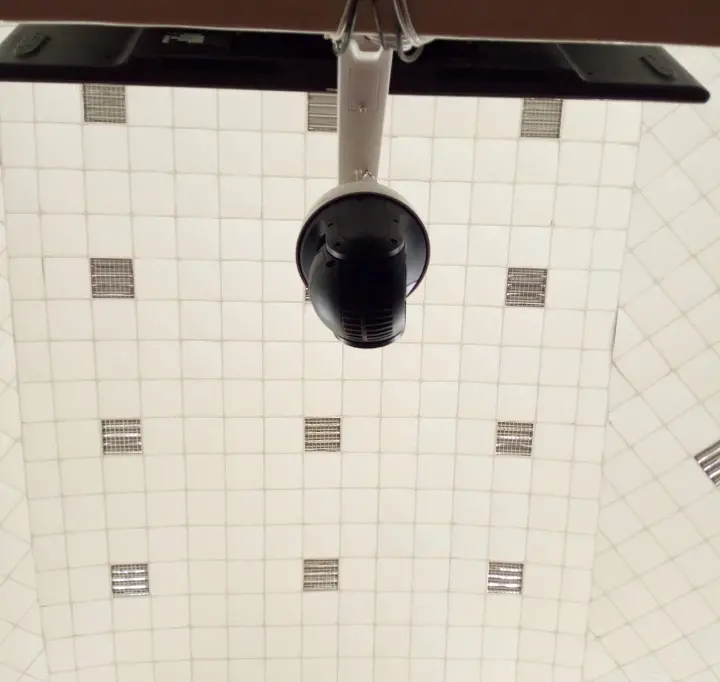
- PTZ cameras (Pan Tilt Zoom).
- Ceiling or table microphones.
- External speakers.
- Multi-camera support.
- Advanced audio processing.
Benefits of Installing a Professional Video Conferencing System
Businesses that invest in proper conferencing solutions enjoy:
- Better communication with clients.
- Professional online meetings.
- Improved collaboration.
- Reduced travel costs.
- Clearer presentations.
- Better customer confidence.
- More productive meetings.
A professional setup also reduces technical interruptions during important meetings.
Common Industries Using Video Conferencing Systems in Kenya
Boardroom conferencing systems are now widely used in:
- Corporate offices.
- NGOs.
- Hospitals.
- Schools and universities.
- Government offices.
- Real estate companies.
- SACCOs.
- Logistics companies.
- Manufacturing firms.
- Sales and marketing offices.
Boardroom Video Conferencing Installation in Kenya
At Boardtac Solutions, we help businesses choose the right conferencing solution depending on:
- Boardroom size.
- Number of participants.
- TV size.
- Existing network setup.
- Meeting platform requirements.
- Audio coverage requirements.
We offer:
- Site assessment.
- Supply of conferencing equipment.
- TV integration.
- Professional installation.
- Cable management.
- Audio setup.
- User training and support.
Whether you need a simple meeting room camera or a complete smart boardroom conferencing solution, choosing the correct equipment makes online meetings smoother and more professional.
Conclusion
Many businesses initially ask for “a camera for online meetings,” but what they actually need is a complete video conferencing solution designed for boardrooms and team collaboration.
As remote meetings continue becoming part of daily business operations in Kenya, investing in a proper conferencing setup improves communication, professionalism, and productivity.
Boardtac Solutions provides professional video conferencing installation services for offices, boardrooms, meeting rooms, and conference halls across Kenya.